
Answer
Please note that your instructor may give you more information about joining your specific course.
If your instructor has opted to use Sage Vantage with your Learning Management System (LMS; e.g. Blackboard, Canvas, Moodle, D2L, etc.) then you should make sure to access Sage Vantage through a Vantage link within that LMS.

The first time you visit Sage Vantage, some information will already be populated for you.
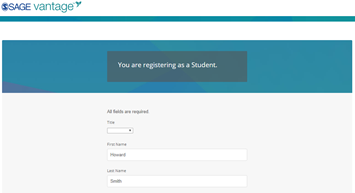
You will need to create a password. You only need to use this password if you access Sage Vantage without clicking on a link from your LMS. (This password does NOT have to be the same as your LMS password)
Access Codes
After you go through the basic registration process, you will be prompted for an access code. Please enter the access code from your printed access card.
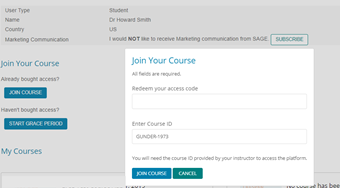
 TIP:Your access code must be for the title your instructor has assigned, so double check the ISBN / title / author.