You may see
a warning message within D2L Brightspace when you complete the steps to
Register a Tool. This error message will say:
There were 3
error(s) found in the information you submitted:
·
Substitution and
custom parameter names must be unique
·
Substitution
parameter names must be unique
·
Custom parameter
names must be unique
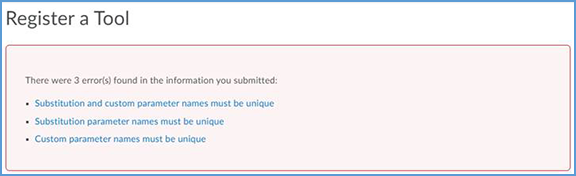
This error message
indicates that the LTI Advantage permissions are not enabled. Follow these
steps to enable the permissions. Once you enable the permissions, you can
register the tool without trouble.
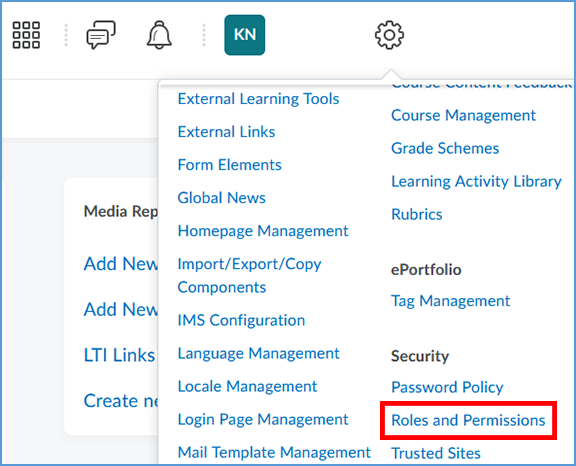
1. Click the gear icon to open the tools
menu. Locate the "Security" section and click Roles and
Permissions. You may need to scroll down through the available features to
see it.
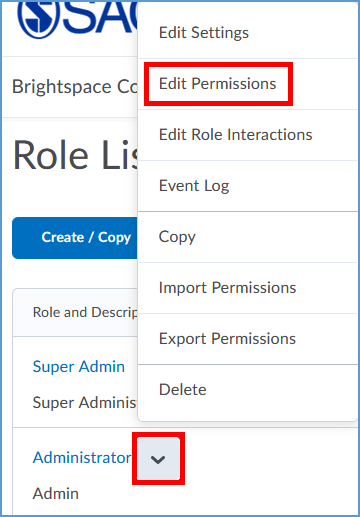
- Open the context menu next to Administrator. From
the menu, select Edit Permissions.
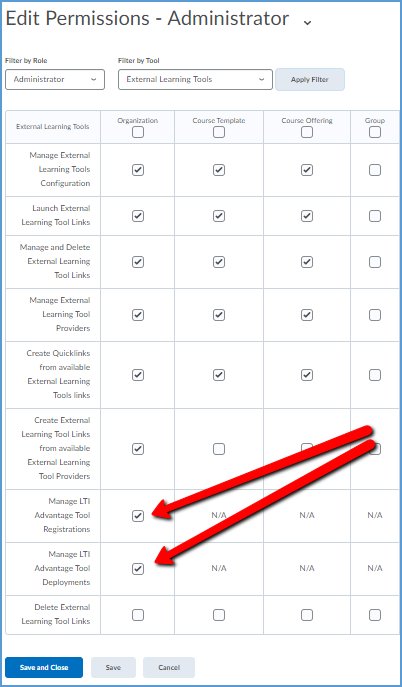
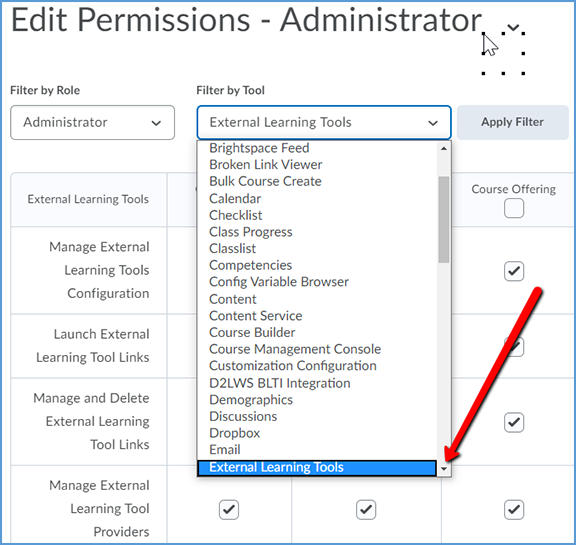
3. In the Filter by Tool dropdown list,
select External Learning Tools.
4.
Tick the checkboxes for Manage
LTI Advantage Tool Registrations and Manage LTI Advantage Tool
Deployments. Next, click Save and Close to complete.